Showing posts with label software. Show all posts

Monday, 31 May 2010

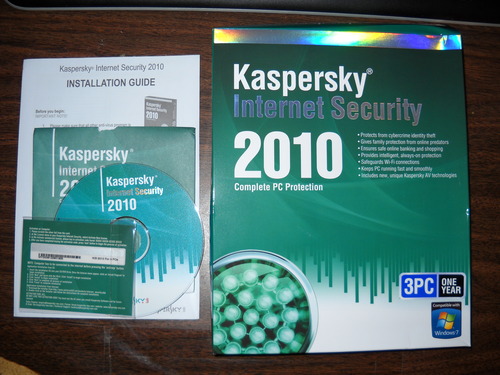
Internet Security Kaspersky 2010 3-User


I own a 3-year-old Dell XPS 410 with an Intel Core 2 6700 CPU @ 2.66GHz, equipped with a RAID 0 650 GB dual hard drive, 4 GB DDR2 RAM and an Nvidia GeForce 8800 GTS 640MB "Direct X 10"-compatible graphics card; for the most part, I have been displeased with the performance of my computer ever since my initial purchase... and this disappointment extended to the performance of my chosen internet security suite, KIS 2007-2010.

After several years of using the miserably sluggish, sporadically buggy Vista Ultimate 32-bit OS, I have recently upgraded my computer to Windows 7 Ultimate 64-Bit (all I can say is WHAT A DIFFERENCE... for those interested, upgrade ASAP). After a clean install, I reluctantly decided to reinstall KIS 2010 and see how well it would perform with my new OS. I wasn't too impressed with KIS 2010's overall performance when I ran it on Vista Ultimate 32-bit (although it was improved over KIS 2009), but running it on Windows 7 Ultimate 64-Bit is another story altogether.

The Good:

A newly-streamlined interface makes it far more user friendly than previous editions;

There's lots of smart configuration tweaks for experienced users;

It uses a lot less system resources to run than the last few versions;

It works extremely well with Windows 7 Ultimate 64-Bit (which I have just upgraded to), with no slowdown or start-up hangs;

Firewall, malware and virus protection is among the best of any current security suite;

The "safe run" sandbox virtual environment is a nice new feature;

The free software upgrades means you only have to continue renewing your subscription, as opposed to shelling out twice as much for annual software upgrades.

However, there are a few cons:

My experience with KIS 2010 on Vista Ultimate 32-bit was erratic, as most of the time it would work well, but on occasion would tremendously slow down my computer's start-up time, sometimes to the point where I would have no choice but to re-boot the computer;

The spam filter needs work;

The interface could still stand to become a bit more user-friendly for novices in the settings section;

There is an issue with KIS 2010 that blocks the "Windows Experience Index" from completing in Windows 7 (UPDATE: a recent patch finally seems to have corrected the issue);

Scanning is fairly slow with large hard drives.

Still, for the several weeks that I have been using KIS 2010 with Windows 7 64-bit, I must say I am quite pleased with the smooth, quick and reliable performance it has exhibited, as none of the issues that marred KIS 2009 and 2010 while using Vista Ultimate 32-bit are occurring with Windows 7 Ultimate 64-bit.

UPDATE, 5/29/10: It has now been well over seven months since I installed KIS 2010, and it is working better than ever.

Overall, my recommendation is if you are using Windows Vista Ultimate 32-bit, I'd give Norton Internet Security 2010 a shot before KIS 2010. However, if you have a comparable (or superior) PC setup to mine and are using Windows 7 Ultimate 64-bit, Kaspersky 2010 Internet Security Suite does its job excellently and I would strongly encourage those in need to give it a try.

Sunday, 30 May 2010

WinCleaner PC Maintenance One-Click (Up to 3 Users)


WinCleaner OneClick does exactly what it says! I bought this product because my computer was really slow and was freezing up on me. I didn't want software that was too complicated, just something to get it running like it should. I found a goldmine in my first purchase!!! I'm not that computer saavy, but this product is easy to use and keeps my computer running fast and smooth. It installed within minutes (I was expecting at least half an hour) and I got back to using my computer in no time! My desktop comes up in no time when I turn my machine on and I am so happy with it - I tell all my friends and anyone with a computer that they should invest in this product. It's also a great gift idea!

I first found this software during my Win XP days, it was a great one, and this one I am using with Vista Ultimate.

Other then the fact that it removed my Printer Drivers on the reg cleaner portion, the rest worked great, and I was able to restore them with its UNDO feature.

It is still the best cleanup software.

AntiSpyware eTrust PestPatrol 2005 [LB]


* The software removes spyware and adware, Remote Access Trojans, Keystroke Loggers and Denial-of-Service (DoS) Attacks
* PestPatrol gives you the option to select the level of protection that is right for you
* The management console and workstation agents are. NET compliant
* Active real-time protection does more than detect and remove spyware, it proactively protects you against it
* Installs in a snap -- no extra software required!

Antivirus Norton 2010 1 User/3 PC


Norton AntiVirus 2010 defends your PC against viruses, spyware, bots, worms, and more without slowing you down or getting in your way. Intelligence-driven technology identifies and targets only files at risk, for faster, less frequent scans. Vulnerability Protection prevents threats from exploiting security holes in your PC's software. Pulse Updates every 5 to 15 minutes and real-time online security checks help ensure continuous, up-to-the-minute protection against the latest threats. Plus, unlike other antivirus solutions, Norton AntiVirus provides easy-to-understand threat explanations and information about CPU and memory resource usage to help you prevent future infections and keep your PC running fast.

Spy Sweeper Webroot 3-User


With more than 20 million copies sold Webroot Spy Sweeper is the #1 best-selling antispyware protection available. Proven to catch spyware that other programs miss this award-winning software can be used alongside your antivirus security for maximum protection. Powerful Smart Shields block known and emerging threats as you browse before they ever reach your computer and personal information. If your PC is already infected advanced discovery methods will find and destroy even the most stubborn infections including rootkits Trojans and keyloggers. Webroot Spy Sweeper has won over 50 awards for security excellence and is highly recommended by experts worldwide.Promotional bullets: Free U.S.-based phone email and web support. Free upgrades during the life of subscription keep you protected from the latest threats. Windows 7 compatible. The #1 protection against spyware adware Trojans rootkits and keyloggers. Protects up to 3 PCs. Enhances your antivirus security for maximum protection. More than 20 million copies sold. Winner of over 50 awards for security excellence. Stops pop-ups fake alerts and browser hijackings. Prevents attacks on social networking sites. Cleans infections with a single click. Scans files to ensure safe downloading. 16 advanced Smart Shields.System Requirements: Windows 7 32 and 64 bit operating systems (all versions). Windows Vista 32 bit SP1 32 and 64 bit operating systems (all versions). Windows XP SP1 SP2 and SP3 operating systems (all versions). 300 MHz processor. 100 MB hard drive space. 256 MB RAM. Microsoft Internet Explorer 5.5 or higher or FireFox 2.0 or higher for connecting to the Webroot website. Format: WIN XPVISTAWIN 7 Genre: UTILITIES Age: 667208181148 UPC: 667208181148 Manufacturer No: 18114

Sunday, 23 May 2010

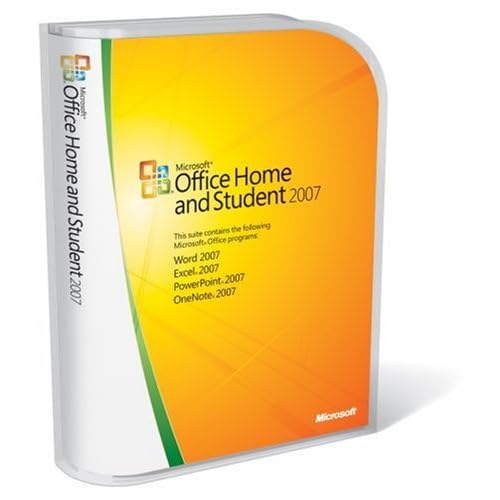
Microsoft Office Home and Student 2007


Microsoft Office Home and Student 2007 is the essential software suite for home computer users and includes 2007 versions of Excel, PowerPoint, Word, and OneNote. This system enables you to quickly and easily create great-looking documents, spreadsheets, and presentations, and organize your notes and information in one place, making it easier and more enjoyable for you to get things done.

This updated version features a new streamlined user interface that exposes commonly used commands, enhanced graphics, and formatting capabilities that let you create high-quality documents, plus a powerful note and information organization tool, and more reliability and security with the document inspector tool and improved automatic document recovery. With these enhancements, Home and Student 2007 makes it a pleasure to complete schoolwork and other tasks at home.

Internet Security Norton 2010 1-User 3PCs

This is my fifth year of using NIS to protect my home computer and laptop. With the noticeable improvements last version, Norton came back with a bang. While NIS2010 still has some flaws, the good trend seems to continue this year as well.

Installation: Installation was very quick similar to NIS2009. It does require a restart which seems to be the case for most virus protection software. Norton for some reason wants us to download and install parental control separately. just a hazel. If you are an existing NIS user you can upgrade from Norton's upgrade website before deciding to purchase the new version. The upgrade will retain your 2009 subscription and your license will be retained as well. NOTE: If you install from CD, your old license will be over written.

Performance: I don't think NIS2010 is a resource hog. Norton also has performance meters where you can check how much of the system resources are being used by Norton. It seems NIS 2010 uses most system resources only during a complete scan. NIS2010 upgrade virus signatures on the background during idle time just like NIS2009. So you dont feel that it exists. Quick scans during idle times also seem to be pretty quick. I havent noticed any loss of performance in the one week that I have been using NIs2010.

Virus protection: Based on tests by PC world and CNET Norton is only behind the not well known G-DATA internet security in virus detection. I havent used G-DATA so I cant compare them. However, NIS has gotten better at malware detection. It did detect a number of malware that adaware and other security software that I use (e.g. Advanced system care). NIS2009 missed a number of these malware.

Network protection: Although NIS claims that when NIS is installed in all PCs on your network, it can detect and keep a trusted network, it has not worked for me. NIS detected my skype phone (ofcourse didn't protect it), but didn't detect my other PC on the network that also has NIS2010 installed. I am not sure if this 'trust' is of any use to me anyway.

Internet security: Norton identified websites that you visit (amazon, bank and ccard websites for example) as trusted ones based on IP address and other data. so you can be safe you are not entering your password on a phishing website. It is very handy for me. I always look for the 'trusted' sign from both Firefox and NIS before entering my passwords.

Password manager: I dont know if I will trust NIS to be my password manager. You need just one password for Norton and it can manage your other passwords and form filling information. However, it seems to be easy to break in to NIS to obtain the password manager's password list. Although the hacker needs physical access to your computer to do this, it is a concern if your laptop gets stolen for example. NIS2010 offers to have the password manager's list reside on removable media which is a somewhat safer alternative. Norton safe search which identifies safe websites on your serach list is also helpful, but google can do this as well.

Over all, it is a good virus protection for your PC, checks files on the fly, can scan emails and attachemnts, IM text and links. Not very good for password management and parental control.